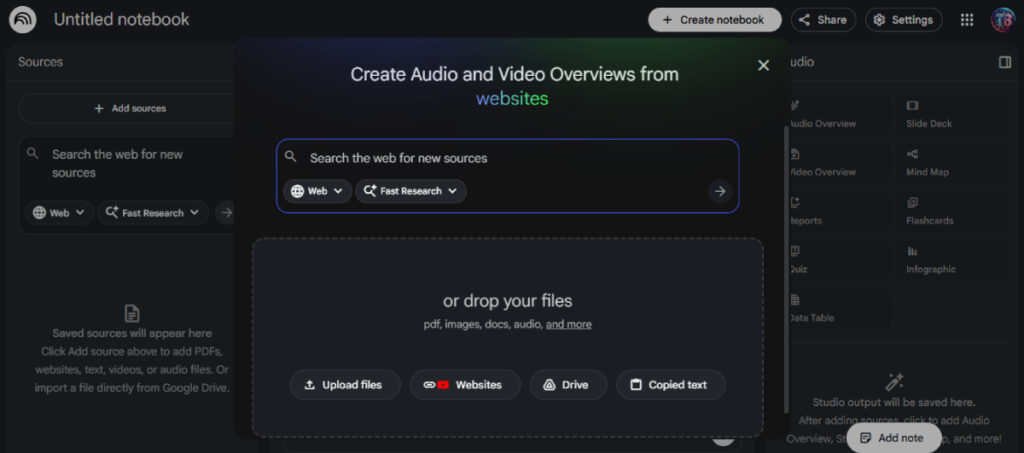
NotebookLM is an AI-powered research and note-taking tool built by Google, powered by Gemini. Unlike general-purpose chatbots, it works exclusively from the sources you upload, such as PDFs, Google Docs, YouTube videos, web links, and more. This “source-grounded” approach means the AI won’t hallucinate facts from the internet; every answer it gives is tied directly to your own materials, complete with citations you can verify.
Best Features
The standout feature is the Audio Overview, which transforms your uploaded documents into a podcast-style conversation between two AI hosts. It’s genuinely impressive for commuters or auditory learners who want to absorb research without staring at a screen. Alongside this, NotebookLM can generate study guides, FAQs, timelines, and briefing documents with a single click.
A newer addition, Video Overviews, lets you convert sources into narrated video summaries, pulling images, charts, and quotes from your documents. There’s also an interactive podcast mode (currently in beta) where you can jump into the AI conversation in real time and ask follow-up questions as the hosts explain a topic.
Collaboration features are solid, too. You can share notebooks with colleagues, granting viewer or editor access, and Pro users can share notebooks in “chat-only” mode, ideal for educators who want to give students a guided research environment without exposing raw source files.
Use Cases
NotebookLM shines in academic research, helping students synthesize multiple papers and generate study materials. Professionals use it to build internal knowledge bases from policy documents, product manuals, or meeting notes.
Content creators repurpose old blog posts or video transcripts into fresh formats. Teachers have found it particularly effective for building student-facing tutoring notebooks loaded with course materials.
Pricing
| Plan | Monthly Cost | Key Limits |
|---|---|---|
| FreeFree | $0 | 100 notebooks, 50 queries/day, 3 audio/video generations/day |
| ProPopular | ~$20/mo | 500 notebooks, 500 queries/day, 20 audio/video generations/day, customizable response styles |
| Ultra | ~$250/mo | 200 audio/video overviews/day, watermark-free outputs, highest Gemini model access |
| Enterprise (Workspace) | From $9/user/mo | Team collaboration, admin controls, VPC-SC security, Google Workspace integration |
Pros and Cons
| Pros | Cons |
|---|---|
| Source-grounded answers — no hallucinations from outside the web | Audio overviews can include inaccuracies and filler words |
| Citations on every response for easy fact-checking | Cannot connect or cross-reference notebooks with each other |
| Impressive Audio and Video Overview features | Daily usage limits can feel tight for power users on the free plan |
| Generous free tier for most casual users | No offline mode — requires an internet connection |
| Seamless Google Workspace integration | Deleted notes cannot be recovered |
| Google does not use uploaded data for model training | Video Overviews feature still in beta with limited polish |
Alternative Tools
Perplexity AI: Great for real-time web research, though less focused on personal document analysis
ChatGPT (with file uploads): More versatile across tasks, but not source-grounded by default
Notion AI: Better for organizing and managing notes, less powerful for deep document analysis
Obsidian with AI plugins: Ideal for power users who want full control over their knowledge graph
Gamma: A strong alternative specifically for creating AI-generated presentations and visual content